The Ultimate Funnel Launch Checklist

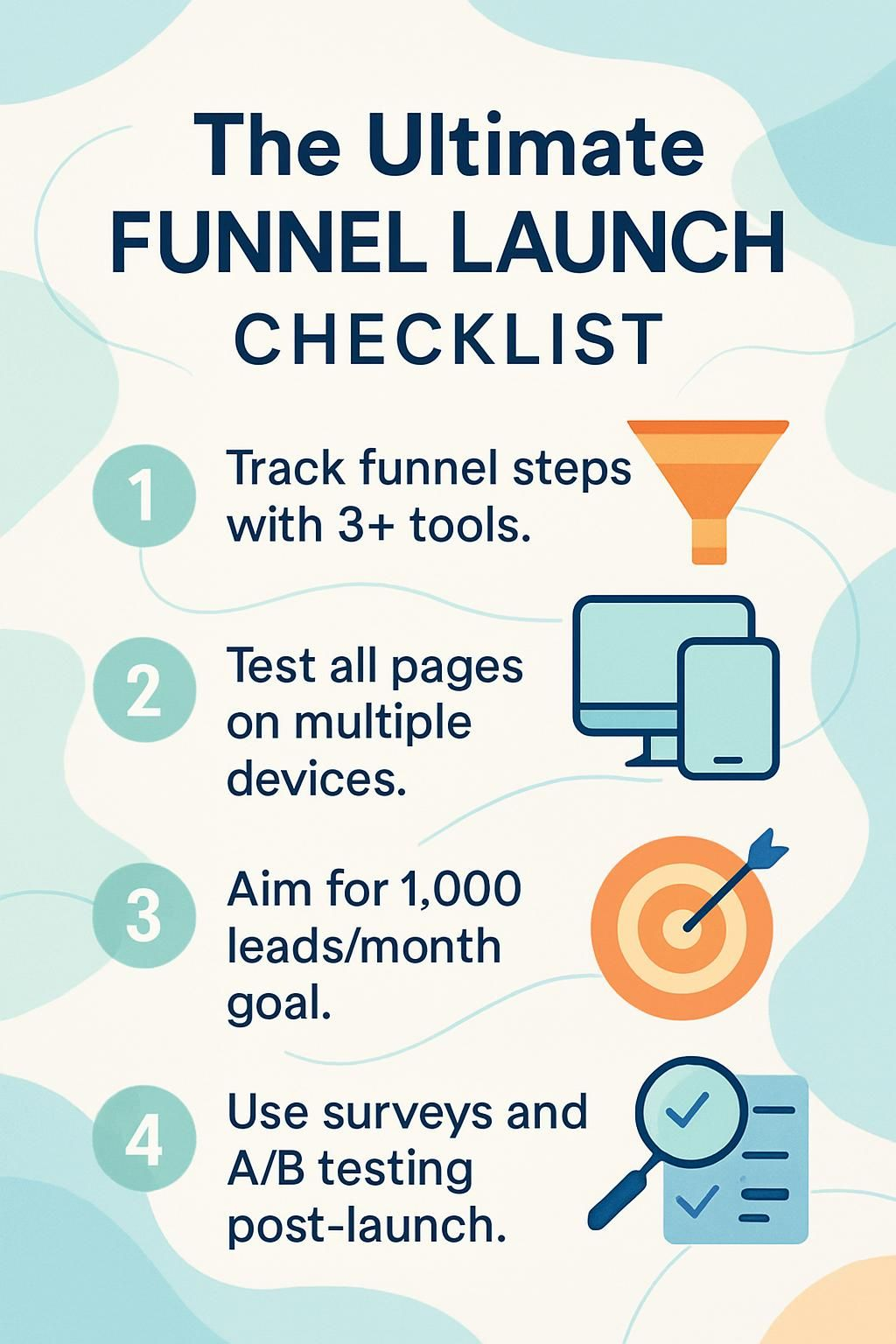
This ultimate funnel launch checklist provides the steps for building a sales funnel that generates leads and conversions. A successful marketing funnel requires a clear plan and detailed testing.
This guide removes the guesswork from your launch strategy. Let’s break it down.
Pre-Launch Preparation
Your funnel process starts with a solid plan. You need to understand your audience and set clear goals for your launch.
Tools like Google Trends or SurveyMonkey help you research what your customers actually want.
Define Clear Funnel Goals
Set measurable goals for your marketing funnel before you launch. Focus on specific outcomes like lead generation, conversion rates, or revenue targets.
For example, a strong goal is to capture 500 new leads in the first month. An average landing page conversion rate is between 2% and 5%, so you would need to drive 10,000 to 25,000 visitors to hit this target.
Use performance metrics in tools like Google Analytics 4 to track your progress. In GA4, you can build a “Funnel exploration” report to see exactly where users drop off. You can also track leads in a CRM like HubSpot CRM.
“If you can’t measure it, you can’t improve it.” , Peter Drucker
Conduct Market Research
Start with consumer insights. Use tools like Google Trends and SurveyMonkey to identify your target market. Facebook Audience Insights also provides valuable demographic data.
Analyze your competitors in detail. Look at their offers, ad strategies, and pricing. Tools like Semrush can show you where their traffic comes from. For funnel examples, study competitors like ClickFunnels or Leadpages to see what they do well.
A SWOT analysis can help you find your unique brand positioning. You can create one easily with a tool like Miro or Lucidchart. This research helps you create a lead magnet that solves a real customer problem, which increases signups.
Set a Strategic Launch Date
Choose a launch date that aligns with your funnel development. A common timeline is to set the launch four to six weeks after you finish creating the main content. This buffer gives you time for testing and promotion.
This prelaunch period is crucial for building anticipation. You can coordinate email campaigns, social media posts, and ads on Meta or Google platforms.
Project management tools are essential for keeping your team on track. Platforms like Asana or Trello allow you to create shared calendars and assign tasks for key milestones. This ensures everyone knows their role leading up to the strategic launch date.
Create a Funnel Diagram
Map out each step of your customer journey. A visual plan helps you spot gaps before they become problems. You can use tools like Canva, Lucidchart, or the more specialized platform Funnelytics.
Your diagram should show how a lead magnet or ad attracts traffic to your opt-in page. From there, trace the path through sales pages, checkout, and the final thank-you page. Mark the conversion goal for each stage, like a 3% conversion rate from the sales page to checkout.
Clearly label each asset, including every landing page, email, and ad. This diagram becomes your blueprint, keeping you focused on the desired user flow.
A well,drawn funnel diagram is like having directions before starting a road trip, it keeps you on track at every turn.
Content and Asset Creation
Now you can build the core pieces of your sales funnel. This includes designing your landing pages, writing email campaigns, and creating your visuals.
Tools like Mailchimp or ConvertKit are great for managing your email sequences. Let’s look at how each piece fits together.
Design Funnel Pages (Opt-in, Sales, Thank-You Pages)
Your funnel pages guide users toward a single action. Good design builds trust and improves conversion rates.
- Your opt-in page should have a clear headline, one main benefit, and a short form to capture leads.
- Use bold call-to-action (CTA) buttons like “Get The Checklist” with bright, contrasting colors to draw attention.
- Add social proof, like testimonials or client logos, directly below the signup form. A 2023 HubSpot report noted this can boost conversions.
- On sales pages, use video demos and short text sections. Explain how your offer solves a specific pain point.
- Keep navigation simple to prevent visitors from getting distracted and leaving the page.
- The thank-you page should confirm the action and provide clear next steps, like checking an email or joining a community.
- Ensure all pages are mobile-responsive and load quickly. Test them with Google’s PageSpeed Insights.
Develop Automated Email Sequences
Automated emails nurture leads and drive sales. Use an email marketing tool like Mailchimp or ActiveCampaign to build and schedule your sequences.
A typical sequence includes:
- A welcome email: This is sent immediately after signup and introduces your brand.
- Nurture emails: Sent over several days, these emails build trust by offering valuable tips or case studies.
- Sales emails: These messages present your offer with a clear call-to-action and create urgency.
Segment your audience using data from a CRM like HubSpot or Salesforce. Personalized content is more effective. The Data & Marketing Association (DMA) consistently finds that email marketing has one of the highest ROIs, often reporting over $35 for every $1 spent.
Create Ad and Branding Assets
Strong branding makes your funnel memorable. Your ads and visuals should be consistent across all platforms.
- Start with a clear brand identity. Use the same colors, fonts, and logo on all funnel pages and ads.
- Create marketing materials like ad banners, infographics, or short videos that explain your offer quickly.
- For ad content, focus on a single message that aligns with your funnel’s goal. Every word should guide the user toward the next step.
- Use a tool like Canva for simple graphic design or Figma for more complex visual assets.
- Test different ad designs to see which ones get more clicks before you invest a large portion of your ad budget.
Technical Setup
This step ensures all your tools work together. You need to connect your analytics, email marketing software, and payment processor to track every signup and sale.
A smooth technical setup with tools like Mailchimp, ActiveCampaign, and Stripe is essential for a successful launch.
Integrate Analytics and Tracking Tools
Good tracking helps you understand what is working. The right setup provides data on user behavior at every funnel stage.
- Google Analytics 4: Install the GA4 tag to get clear data on traffic sources, user behavior, and conversions on each page.
- Meta Pixel: Use the Meta Pixel (formerly Facebook Pixel) to track actions from your ads. Be sure to also set up the Conversions API for more accurate tracking after Apple’s iOS 14 update.
- Google Tag Manager: This tool lets you add tracking tags to your site without editing the code, which saves time.
- Heatmap Tools: Services like Hotjar or Crazy Egg show you where users click and scroll, revealing how they interact with your pages.
Set Up CRM and Marketing Tools
Your CRM and marketing tools are the engine of your funnel. They manage leads, automate communication, and process sales.
- Connect your Customer Relationship Management (CRM) system, like Salesforce or HubSpot, to manage your leads.
- Integrate marketing automation platforms such as ActiveCampaign or Mailchimp to send your email sequences.
- Link your CRM with e-commerce solutions like Shopify or WooCommerce for smooth order processing.
- Use an integration tool like Zapier to connect different apps. This automates small tasks and ensures data flows between systems correctly.
- Test every connection. A broken link between your opt-in form and email software can stop your funnel completely.
Configure Payment Processing
A reliable payment processor builds customer trust and ensures you get paid. This setup needs to be secure and simple for the user.
- Choose a trusted payment platform like Stripe, PayPal, or Square. These support common payment methods.
- Be aware of the fees. Stripe, for example, typically charges 2.9% + $0.30 per successful online transaction.
- Connect the processor to your sales page. Funnel-building tools like ClickFunnels or Leadpages have direct integrations for this.
- Enable SSL (Secure Sockets Layer) on all pages to encrypt data and protect transactions.
- Test the entire checkout process yourself. Make a real purchase to ensure everything from payment to confirmation email works perfectly.
- Monitor metrics like abandoned cart rates. High numbers could indicate a problem with the checkout flow or unexpected fees.
Testing the Funnel

Now it is time to check every step of your funnel. You need to make sure every page loads, every link works, and every email sends correctly.
Finding small issues now prevents major problems during your launch. This is key for effective lead generation and high conversion rates.
Test Funnel Pages and Links
A single broken link can stop a customer from moving forward. Test every element to ensure a smooth user experience.
- Use Google Analytics and the Meta Pixel to track a test user through your entire funnel.
- Click every link and CTA button on your opt-in, sales, and thank-you pages.
- Test all forms by submitting information. Make sure the data is captured in your CRM and the user is sent to the correct next page.
- Check your funnel on different browsers, such as Chrome, Firefox, and Safari, and on both desktop and mobile devices.
- Test your page speed with Google PageSpeed Insights. A recent Deloitte study found that a 0.1-second improvement in site speed can boost conversions by 8%.
- Consider using A/B testing tools like Optimizely or VWO to compare different versions of a page to see which performs better.
Verify Email Delivery and Functionality
Before launching, ensure every automated email works as intended. Good email delivery is crucial for nurturing leads and driving sales.
- Send test versions of every email in your sequence from services like Mailchimp or ActiveCampaign.
- Check these emails in different inboxes, including Gmail, Outlook, and Yahoo, to look for formatting issues or spam filtering problems.
- Use a tool like Mail-tester.com to check your email’s spam score before you send it to your list.
- Click every link within the emails to confirm they go to the correct destination.
- Review the analytics in your email platform. Low open rates may signal a weak subject line.
- Confirm that merge tags, like a customer’s first name, are pulling the correct information.
Test Checkout and Payment Processes
A seamless checkout is essential for converting a visitor into a customer. Test every part of the transaction to prevent lost sales.
- Run a complete test transaction using a real credit card with payment gateways like PayPal and Stripe.
- Verify that the automated receipt and confirmation emails are sent immediately after a successful purchase.
- Review the user experience of the checkout flow. Is it simple and clear, or are there confusing steps?
- Use analytics tools like Google Analytics or Hotjar to watch for drop-offs during the checkout process.
- Intentionally try a failed payment with an incorrect card number to see what error message is displayed. It should be helpful and clear.
- Consider having someone unfamiliar with your site go through the payment process. Usability testing with fresh eyes can reveal unexpected issues.
Launch Strategy

With your funnel tested and ready, it is time to execute your marketing campaign. This involves driving traffic and bringing qualified leads into your funnel.
Clear messaging across all your channels will boost sales and help you reach your goals.
Execute Marketing Campaigns
Your campaign connects your funnel with your target audience. A focused approach delivers the best results.
- Launch targeted campaigns using Google Ads and Facebook Ads. Track their performance closely with Google Analytics and the Meta Pixel.
- Schedule your email marketing sequences to engage new leads as they enter your funnel.
- Use performance metrics like click-through rates and conversion data to monitor your campaigns in real time.
- Run A/B tests on your ad copy and landing pages to identify what resonates most with your audience.
- Watch your competitors. If they are getting better results, analyze their strategy and adjust yours if needed.
- Track your Key Performance Indicators (KPIs) daily. If a campaign is underperforming, be ready to make quick changes to your creative or targeting.
Promote Funnel Across Channels
Promoting your funnel across multiple channels helps you reach a wider audience. This drives more traffic and increases lead generation.
- Share your funnel on social media platforms like Facebook, Instagram, and LinkedIn.
- Use email marketing tools like Mailchimp or ConvertKit to announce your offer to your existing list.
- Set up paid advertising campaigns on Google Ads and Meta to reach new potential customers.
- Partner with influencers in your niche to get your offer in front of an engaged audience.
- Write blog posts or articles that provide value and link back to your funnel pages.
- Post short-form videos on platforms like TikTok and YouTube Shorts to quickly capture attention.
- Measure the performance of each channel. A 2024 report showed that marketers using three or more channels in a campaign saw a significantly higher purchase rate.

Disclosure: I am an independent ClickFunnels Affiliate, not an employee. I receive referral payments from ClickFunnels. The opinions expressed here are my own and are not official statements of ClickFunnels or its parent company, Etison LLC.
Post-Launch Optimization
After your funnel is live, the work continues. Use tools like Google Analytics and Hotjar to monitor performance and find opportunities for improvement.
Small tweaks based on real data can lead to significant increases in leads and conversions.
Analyze Funnel Performance Metrics
You must study your funnel’s performance using data. Analytics provide the insights you need to improve your results.
- Track key metrics like conversion rate, bounce rate, and cost per acquisition daily.
- Use Google Analytics and the Meta Pixel to monitor your traffic sources and user engagement.
- Set up dashboards to easily check the progress of your customer journey.
- Review how long users spend on each page. A short duration could indicate confusing content or a weak call to action.
- Look for high drop-off rates at specific stages, like the checkout page. This often points to a technical issue or a confusing step.
- Run A/B tests on headlines, button colors, and page layouts to see what drives more conversions.
Collect and Implement Customer Feedback
User insights are essential for improving your funnel. Customer feedback can highlight problems you might have missed.
- Use tools like Google Forms or Typeform to create simple surveys for users after they go through your funnel.
- Monitor social media comments and direct messages for suggestions or complaints.
- Add a comment box to your thank-you page to ask for feedback while the experience is still fresh.
- Use heatmap tools like Hotjar or Crazy Egg to see where users get stuck.
- Set up regular team meetings to review customer feedback and identify trends.
- Inform customers about the changes you make based on their suggestions. This builds trust and shows you are listening.
Optimize Funnel for Better Conversions
Regular funnel optimization will boost your conversion rate. Use analytics and customer feedback to make smart improvements.
- Use tracking tools like Google Analytics or Hotjar to see where users drop off.
- Review performance metrics daily, focusing on sign-up rates and sales conversions.
- Collect customer feedback with surveys from SurveyMonkey or forms using Typeform.
- Run A/B tests on your landing pages with platforms like Optimizely or VWO. Test headlines, images, and CTA buttons.
- According to recent data, mobile devices account for the majority of web traffic. Optimize the mobile experience by checking load speed with Google PageSpeed Insights.
- Adjust your content and design based on your findings. Small changes can often lead to big improvements in your conversion rate.
Conclusion
You now have a complete path for launching your sales funnel. Every step, from setting clear goals to testing each page, gives you control over your marketing success.
Regularly checking your analytics helps you fix what is not working. With strong email campaigns and a smart traffic strategy, generating new leads becomes easier.
Stick with this checklist. You will see steady growth in leads and conversions after your funnel goes live.