How To Split Test Landing Pages In ClickFunnels

You know how frustrating it can be to stare at stagnant conversion rates.
Here’s what I’ve seen work: the divide between companies stuck at 2-3% conversions and those hitting 5% or higher often comes down to one thing.
They test.
According to a 2025 report by Cropink, 77% of businesses now run A/B testing to improve conversions. Split testing, also called a/b testing, removes the guesswork by showing you exactly which landing pages drive customer engagement. ClickFunnels simplifies this entire process, letting you compare your control page against a variation page to see what truly moves the needle.
This guide walks through the exact steps to run effective split testing in ClickFunnels, from creating variations to declaring winners.
Let’s get into it.
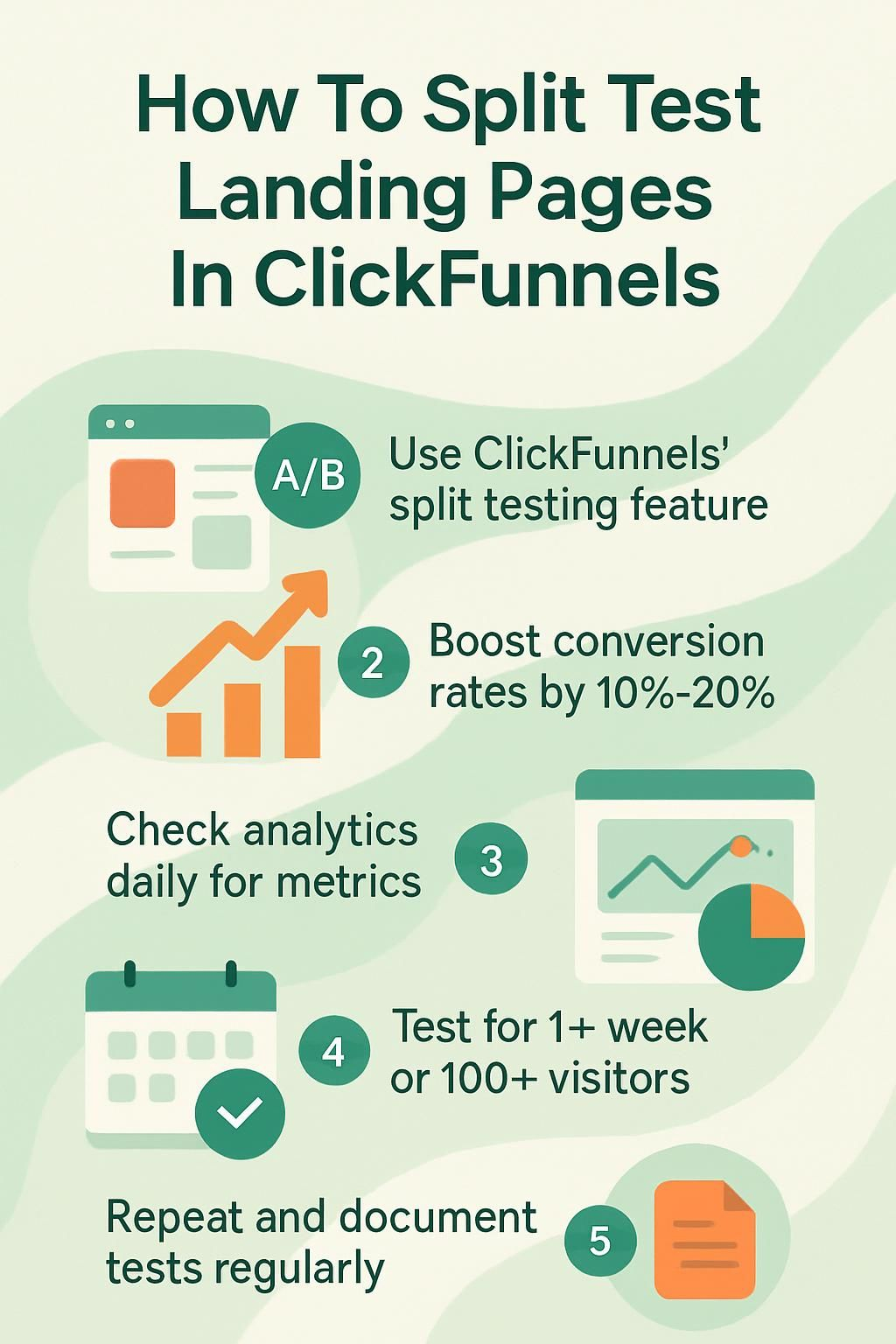
Steps to Split Test Landing Pages in ClickFunnels
ClickFunnels streamlines a/b testing for better conversion rates. Each funnel step you test gives you clear data on what resonates with your audience.
Create a split test variation
Start by picking your control page inside your funnel dashboard. Click the “Create Variation” button.
You have two options here.
Clone an existing page or build a new variation from scratch. Most marketers clone the original because it keeps all your settings and layout intact. This lets you change just one element, like headline testing or button color, without rebuilding the entire page.
According to ClickFunnels official documentation, their platform recommends running split tests for at least 30 days to achieve accurate results. This timeframe gives the system enough data to return reliable split percentages between your control and variation pages. Here’s the critical insight: focus your test on a single change.
As digital marketing expert Neil Patel puts it, testing removes guesswork and shows exactly what works. Change only one element at a time. That way, you know which specific adjustment improves your digital marketing metrics.
Edit and customize the variation
Now you can make targeted changes to your variation page.
Start simple. Update the headline to test new angles or change your call-to-action button. These edits sometimes boost conversion rates by 10% to 20%, even on high-traffic landing pages. Swap out images, move lead forms higher in your funnel steps, or adjust fonts for better readability.
Try testing different offers or tweaking content order. Some marketers find that listing benefits first improves sign-ups. Others see better results placing testimonials near the end of landing pages.
The platform includes a traffic slider that lets you split visitors between your control and variation page. By default, ClickFunnels sets this to 100% control and 0% variation. You must adjust the slider to begin directing traffic to both versions.
One change per test keeps your data clean and shows you exactly which feature moves the needle on performance metrics.
Customizing each variation gives you real insight into which features help grow your digital marketing results faster than guesswork alone.
Monitor performance and analytics
Access the ClickFunnels analytics dashboard to track your split testing results. This is where the data tells your story.
The dashboard displays key metrics side by side: conversion rates, click-throughs, and visitor counts for both your control page and variation page. ClickFunnels also provides a confidence score, which calculates the likelihood that your variation will outperform the control based on actual sales or opt-ins.
Check performance daily during your testing period. Look for patterns in customer engagement and funnel steps. Which page keeps visitors moving forward? Which headlines or layouts spark action?
Here’s what to track:
- Pageviews for each version
- Opt-in rates if you’re collecting leads
- Sales or conversions for each variation
- Bounce rate to spot friction points
The platform updates data in real-time, but resist the urge to call a winner too early. According to research on a/b testing best practices, tests need sufficient data points to produce statistically significant results. For most landing pages, this means waiting until you reach at least a few thousand visitors per variation before making decisions.
Declaring a Winner for Your Split Test
Look at the conversion rates in your analytics dashboard. The winner is straightforward: the version with higher conversions takes it.
Set a clear time frame before you start. Run your test for one week, 500 visits, or until you reach statistical significance. ClickFunnels displays a confidence score that helps you determine when results are reliable. Many experienced marketers wait until this score shows strong confidence before choosing a winner.
Check these metrics before you decide:
| Metric | What It Tells You |
|---|---|
| Conversion Rate | Percentage of visitors who complete your goal action |
| Customer Engagement | Time on page and interaction with elements |
| Bounce Rate | Visitors who leave without taking action |
| Funnel Steps Completed | How many move to the next stage |
If your variation page beats the control by a few percentage points, you have solid proof. Click “Declare as Winner” in ClickFunnels to make that version your new standard. The platform removes the losing page and directs 100% of traffic to the winning design.
This becomes your new control page for future tests.
Tips for Effective Split Testing in ClickFunnels
Smart split testing follows proven principles. These tips help you find winning variations faster and avoid common mistakes that waste ad spend.
Focus on high-impact elements first
Not all page elements deserve equal testing time. Start with changes that historically drive the biggest lifts in conversion rates.
According to Copyblogger research, 80% of visitors read your headline, but only 20% read the rest. That’s why headline testing should be your first priority. Test different angles, benefit statements, or lengths before moving to smaller elements.
After headlines, focus on these proven high-impact areas:
- Call-to-action button text and placement
- Lead form length and required fields
- Hero images or video versus static images
- Value proposition statements
Save minor tweaks like footer links or secondary button colors for later. These rarely move the needle on customer engagement compared to the elements above.
Run tests during consistent traffic periods
Traffic behavior changes during holidays, promotional periods, or seasonal shifts. These fluctuations skew your a/b testing results.
Run your split tests during normal traffic periods. Avoid launching tests right before Black Friday, during major industry events, or when you’re running special promotions. User behavior during these times doesn’t reflect typical patterns.
Keep sample sizes large enough for clear answers. Aim for at least 100 visitors per variation, though experienced marketers often wait for much larger samples. According to testing best practices, you need thousands of visitors to detect small but meaningful improvements in conversion rates.
Test one variable at a time

This is the golden rule of split testing. Change your headline or your button color, but never both in the same test.
Why? If you change multiple elements and see a lift, you won’t know which change caused it. Maybe the new headline worked but the button color hurt performance. Testing multiple variables together muddles your data.
The only exception is when you’re testing completely different landing page concepts. In that case, you’re comparing two distinct approaches rather than isolating specific elements.
Document everything for future reference
Keep a testing log with dates, variations, goals, and results. This record becomes invaluable as you run more tests.
Track what worked six months ago. Those insights guide your next hypothesis. Document unexpected findings too. Sometimes a “losing” variation reveals customer objections you didn’t know existed.
Your testing history prevents you from repeating failed experiments. It also helps new team members understand what your audience responds to best.
Switch out low performers quickly
Data from a 2022 study by Convert showed that 80% of tests are stopped before reaching statistical significance. Don’t let that be you, but also don’t let a clear loser drain your budget.
If one variation shows dramatically worse performance early on and the confidence score is high, you can end the test. This saves ad spend and lets you start your next experiment sooner.
Balance patience with pragmatism. Wait for significant data, but don’t waste money on variations that are clearly underperforming.
Track beyond surface-level clicks
Clicks matter, but they don’t tell the full story. Use ClickFunnels analytics to track deeper customer engagement metrics.
Monitor how far visitors scroll on your landing pages. Check video watch times if you use video content. Track which funnel steps see the most drop-off. These insights reveal whether your page truly connects with visitors or just gets clicks.
A variation might get more initial clicks but fewer completed purchases. That’s critical data you’ll miss if you only watch surface metrics.
Repeat tests as your audience evolves
What works today might not work next quarter. Customer preferences shift. New competitors change expectations. Your audience grows and changes.
According to digital marketing research, trends shift fast in online marketing. A winning variation from six months ago might underperform now. Schedule regular retests of your highest-traffic landing pages, even if they’re currently performing well.
This continuous testing mindset keeps your funnel steps optimized as markets evolve.
Conclusion
Split testing landing pages in ClickFunnels gives you clear answers about what drives conversion rates. The platform makes it simple: create a variation, send traffic to both versions, and watch the data roll in.
Start with one test focused on a high-impact element like your headline or call-to-action. Let it run for at least 30 days or until you reach statistical significance. Then declare a winner and use that insight for your next test.
The best part? Small, data-driven changes compound over time. A 10% lift here and a 15% improvement there add up to dramatically better funnel performance.
Keep testing, keep learning, and watch your customer engagement grow.
Disclosure: I am an independent ClickFunnels Affiliate, not an employee. I receive referral payments from ClickFunnels. The opinions expressed here are my own and are not official statements of ClickFunnels or its parent company, Etison LLC.