How To Manage Leads Automatically With CRM Integration

Struggling to keep up with managing your leads? CRM integration helps capture, organize, and nurture leads effortlessly. This blog will show you how to automate the lead management process step by step.
Keep reading to save time and boost your sales!
What Is CRM Integration for Lead Management?
CRM integration connects your lead sources to one system. It pulls data from forms, social media, live chat tools, and landing pages. You can track all leads in one place.
This process automates lead scoring based on behavior and demographics. Leads are prioritized for faster follow-ups. Real-time data updates ensure no information gets outdated or lost.
Steps to Manage Leads Automatically with CRM Integration
You can simplify your lead management using CRM systems. Automate tasks like scoring, assigning, and nurturing leads for better results.
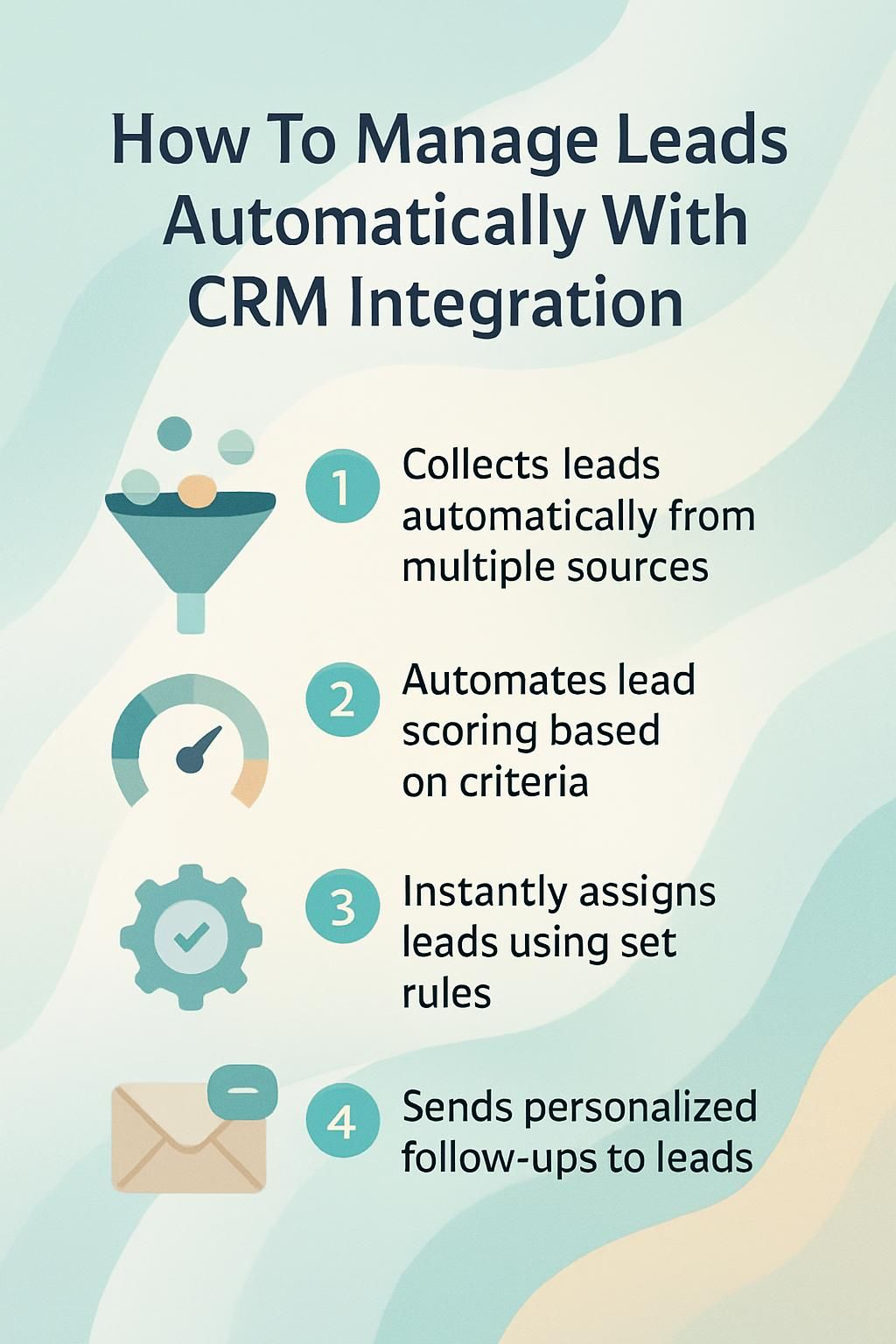
Capture Leads Automatically from Multiple Sources
Automated workflows in a CRM system pull leads from websites, apps, social media platforms like Facebook ads and Instagram Direct. Integration tools link these touchpoints to gather data without manual effort.
Leads enter the lead management process instantly through forms or chats on your browser. Data synchronization ensures no information gets lost across databases or accounting systems.
This ease of use saves time, reduces errors, and keeps your marketing automation smooth.
Automate Lead Scoring and Prioritization
Score leads based on their actions and details. Use CRM integration to track activity levels, like email clicks or site visits. Match this with demographic data to see who fits your target audience best.
Set scoring rules in the system for quick prioritization. High-scoring leads can go directly to sales teams for follow-up. Automate workflows in the CRM to save time and focus efforts on better-quality leads.
Assign Leads to Sales Teams Automatically
Set clear rules in your CRM system for lead assignment. Use predefined criteria like location, industry, or lead scoring to match leads with the best sales reps. This ensures no leads sit idle and that they go straight to the right person.
Integrate automation tools for real-time assignments. Notify your teams instantly when new leads are assigned. Track how well this process works using CRM analytics, then tweak settings to improve efficiency even more.
Automation saves time and connects the right team member with the right opportunity.
Set Up Automated Lead Nurturing Campaigns
Create email sequences that send messages based on your lead’s actions. Use marketing automation tools in the CRM system to guide leads through the sales funnel step by step. For example, send a welcome email after sign-up and follow up with useful tips or offers.
Segment leads into groups for targeted marketing. Automation can personalize emails using details like names or interests. Track engagement through click-through rates and adjust campaigns if needed to improve customer experiences.
Features of CRM Systems for Lead Automation
A CRM system simplifies lead management through smart tools. It uses automation to save time and improve accuracy.
Real-Time Lead Routing
Real-time lead routing sends leads to the right sales teams instantly. CRM systems use predefined rules to match leads based on location, industry, or interactions. This ensures no delay in follow-ups and boosts customer engagement.
Efficient routing improves conversion rates by acting quickly on fresh interest. You can track lead activity in real time, adjusting priorities as needed. Faster responses keep potential customers interested and build stronger customer relationships.
Lead Validation and Deduplication
Efficient lead routing needs strong validation and cleanup. CRM systems check data for errors or gaps like fake emails or incorrect phone numbers. This ensures leads are real and useful for your sales team.
Duplicate entries can waste time and confuse teams. Integration tools in CRMs stop this by spotting repeated data from multiple sources, merging them into one record, and keeping your database clean.
Automated Follow-Up Sequences
CRM systems can send follow-up messages automatically. These messages are based on lead activities and scores. For example, if a lead clicks an email link, the system can send a new offer right away.
This keeps leads engaged without manual effort.
You can also create nurturing campaigns using workflows. These campaigns share helpful content or offers over time to warm up leads. CRM analytics help improve these sequences by showing what works best.
This saves time and boosts conversion rates for your business.
Benefits of Automating Lead Management

Automation saves time and cuts human errors. It boosts your team’s focus on closing deals instead of tracking leads manually.
Improved Efficiency and Accuracy
CRM systems improve how you handle leads. Automated workflows capture leads from multiple sources with no manual effort. This saves time and reduces errors in data entry. Integration tools sync your data in real-time, keeping information up to date.
AI-powered lead scoring helps prioritize the most promising prospects. Automatic assignments ensure sales teams get the right leads without confusion. These features streamline your lead management process, making it faster and more accurate.
Explore next: Enhanced Lead Conversion Rates.
Enhanced Lead Conversion Rates
Automating your lead management process boosts conversion rates. By using tools like CRM integration, you can prioritize high-quality leads with lead scoring. This ensures sales teams focus on the most promising prospects quickly and effectively.
Personalized follow-ups also play a big role. With marketing automation, potential customers get timely emails or messages that match their needs. These workflows guide them through the sales funnel seamlessly.
Next, look at setting up real-time lead routing to improve speed and accuracy in responses.
Conclusion
Using a CRM system for lead management saves time and boosts accuracy. You can easily capture, score, and assign leads without extra effort. Automated workflows handle follow-ups and nurture your leads effectively.
This process improves conversion rates and keeps your sales team focused on closing deals. Simplify your business with smarter tools today!