ClickFunnels Vs. Calendly: Which Is Best For Booking Coaching Calls?

This article compares ClickFunnels and Calendly for booking coaching calls.
We will examine their key features, pricing, and overall user experience. This breakdown will help you decide which software is the right fit for your coaching business.
Let’s look at the details.
Key Features of ClickFunnels for Booking Coaching Calls
ClickFunnels provides an all-in-one platform to build sales funnels for your coaching business. It combines payment processing, email automation, and client management tools into a single system.
This approach helps you guide potential clients from initial interest to a paid booking.
Funnel Creation and Customization
ClickFunnels simplifies the process of setting up a sales funnel. You can use pre-built templates for webinars, lead capture, and sales pages to guide clients toward booking a call.
The drag-and-drop editor allows you to customize every step. You can add your logo, change colors, and include elements like intake forms or video testimonials without needing to code.
This flexibility allows you to create a unique path for your clients. You can add upsells for extra sessions, offer digital products, or create membership sites for ongoing coaching.
A well-designed funnel does more than just book appointments. It pre-qualifies leads, ensuring you only spend time on calls with serious prospects who understand your process and pricing.
Integrated Payment Processing
You can accept payments for coaching calls directly within your ClickFunnels funnel. The platform integrates with major payment gateways like Stripe and PayPal.
This means you don’t need to send separate invoices or use another tool for transactions. Clients can book a time, enter their details, and pay in one seamless process.
This integration simplifies the client’s experience and ensures you get paid upfront. It helps automate the financial side of your business so you can focus on coaching.
Email Automation and Follow-ups
Once a client books a call, ClickFunnels’ built-in automation tool, “Workflows,” takes over. You can set up email sequences to confirm appointments and send reminders.
This feature helps reduce no-shows and keeps your clients engaged. You can also create follow-up funnels to nurture leads who didn’t complete the booking process.
For example, you can automatically send a follow-up email 24 hours after a call with a link to a feedback survey. This automation saves administrative time while maintaining a professional line of communication with every client.
Key Features of Calendly for Booking Coaching Calls
Calendly is a dedicated scheduling tool designed for simplicity and efficiency. It allows clients to book sessions directly from your calendar without back-and-forth emails.
The platform syncs with your existing calendars to prevent double bookings and manage your availability in real-time.
Simplified Scheduling and Calendar Integration
Calendly connects directly with Google Calendar, Office 365, Outlook, and iCloud Calendar. You set your available hours once, and clients can see your open slots and book a time that works for them.
The appointment is automatically added to both your and your client’s calendars. This eliminates manual entry and reduces the risk of scheduling conflicts.
The setup is quick. Many users report being able to configure their availability and create their first event type in under 15 minutes.
- One-on-One Meetings: The most common event type for individual coaching calls.
- Group Events: Useful for hosting group coaching sessions or workshops.
- Meeting Polls: Allows multiple attendees to vote on a preferred time, which is perfect for coordinating group calls.
Time Zone Management
Calendly automatically detects your client’s time zone. When they view your booking page, your availability is displayed in their local time.
This feature is essential for coaches with an international client base. It removes the confusion and potential errors that come from manually converting time zones.
The automation ensures that both you and your client are on the same page, which reduces missed appointments and improves the client experience.
Automated Reminders
Automated reminders are a key feature for reducing no-shows. According to a user survey, 88% of Calendly users reported a decrease in missed meetings after enabling automated reminders.
Calendly can send email and SMS text alerts to you and your client before an appointment. On paid plans, you can customize the timing and number of reminders sent, such as one 24 hours before and another one hour before the session.
This simple feature saves you the time of manually following up and helps ensure clients show up prepared for their coaching call.
ClickFunnels vs. Calendly: Pricing Comparison
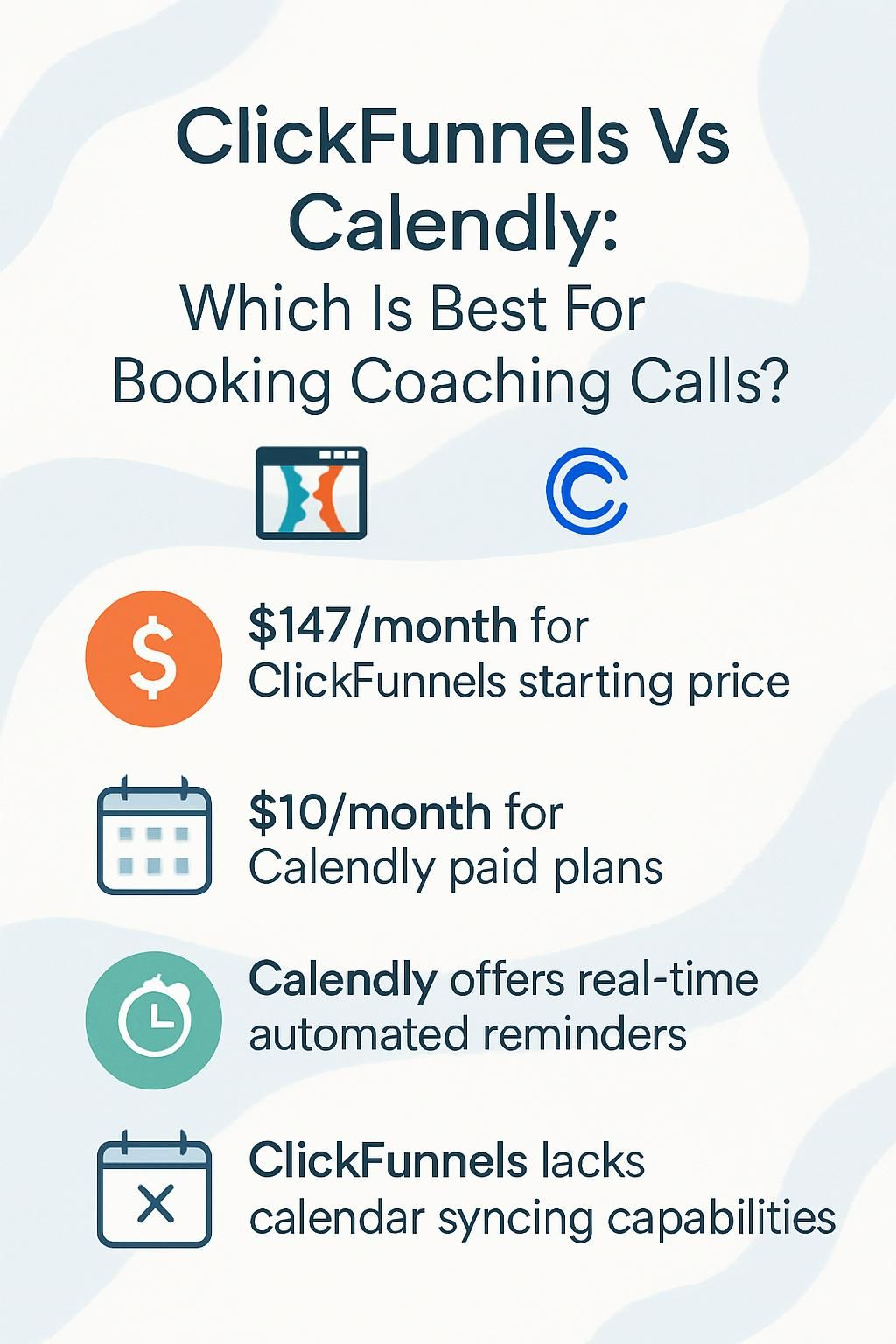
The pricing structures for ClickFunnels and Calendly reflect their different purposes. ClickFunnels is a comprehensive marketing suite, while Calendly focuses on efficient scheduling.
Here is a breakdown of their plans as of 2025.
| Platform | Plan | Monthly Cost (USD, Billed Annually) | Key Features in Plan |
|---|---|---|---|
| ClickFunnels | Basic | $127 |
|
| ClickFunnels | Pro | $157 |
|
| Calendly | Free | $0 |
|
| Calendly | Standard | $10 |
|
| Calendly | Teams | $16 |
|
ClickFunnels is a larger investment designed for building an entire marketing and sales system. Calendly offers an affordable entry point for coaches who primarily need a reliable scheduling tool.
ClickFunnels vs. Calendly: User Experience and Ease of Use
ClickFunnels provides a wide array of digital marketing tools in one dashboard. While powerful, some users report a learning curve due to its extensive features for funnels, email marketing, and membership sites.
Setting up a simple booking process can require more steps compared to a dedicated scheduling app.
Calendly focuses on a clean and intuitive user experience. You connect your calendar, define your availability, and share a link.
Clients see a simple interface where they can pick a time. The process is straightforward for both the coach and the client, making it very easy to adopt.
ClickFunnels vs. Calendly: Suitability for Coaches
The right tool depends on your business priorities. Some coaches need a powerful system to generate leads, while others prioritize simple appointment management.
Best for lead generation and sales funnels
ClickFunnels is the clear winner if your primary goal is to attract new clients and sell high-ticket coaching packages. Its entire platform is built to guide potential customers through a structured sales process.
You can create funnels that offer a free resource, like an e-book, to capture email addresses. Then, you can use automated email follow-ups to nurture those leads and invite them to a paid coaching call.
It also includes tools for A/B testing pages, which helps you optimize your funnel for higher conversion rates. This data-driven approach is ideal for coaches focused on scaling their business.
Best for seamless scheduling and time management
Calendly excels at making the booking process effortless for both you and your clients. You can set your availability and connect your Google Calendar or Microsoft Outlook in minutes.
Its strength is its simplicity. By providing a direct link to your calendar, you eliminate the back-and-forth emails often required to find a suitable meeting time.
For coaches who already have a steady stream of clients and just need an efficient way to manage their schedules, Calendly is an excellent choice. It saves time and presents a professional booking experience.
Pros and Cons of Using ClickFunnels for Coaching Calls
ClickFunnels is a powerful platform for coaches who want to market and sell their services. It helps you build automated systems for attracting new clients.
- All-in-One Platform: It combines a funnel builder, email marketing, and payment processing, saving you from needing multiple tools.
- Integrated Payments: Clients can pay for sessions directly in the booking flow with Stripe or PayPal integrations.
- Lead Generation Focus: The software is designed to capture leads and guide them toward a purchase.
- Customizable Funnels: Drag-and-drop templates make it easy to create a custom journey for your clients.
- High Price Point: With plans starting at $127 per month (billed annually), it’s a significant investment compared to simple scheduling tools.
- Learning Curve: The number of features can be overwhelming for users who are new to digital marketing.
- No Native Calendar Tool: While ClickFunnels 2.0 has an “Appointments” app, it still relies on integrations with Google Calendar or Outlook and can feel less direct than a dedicated tool.
Pros and Cons of Using Calendly for Coaching Calls
After reviewing ClickFunnels, it’s useful to see how Calendly compares. Many coaches choose Calendly for its straightforward approach to online booking.
- Simple and Intuitive: The user interface is clean and easy to navigate for both coaches and clients.
- Direct Calendar Integration: It syncs seamlessly with Google Calendar, Outlook, and iCloud, preventing double bookings.
- Automated Reminders: Email and SMS reminders help reduce no-shows.
- Time Zone Detection: Automatically adjusts availability to the client’s local time zone.
- Affordable Pricing: It offers a free plan and paid tiers that are much lower in cost than all-in-one marketing platforms.
- Video Conferencing Integrations: It integrates directly with tools like Zoom, Google Meet, and Microsoft Teams to automatically create meeting links.
- Limited Marketing Features: Calendly is not designed for creating sales funnels or managing email marketing campaigns.
- No Client Management: It lacks a built-in CRM to store session notes or track client progress through a program.
Conclusion
Choosing between ClickFunnels and Calendly depends entirely on your coaching goals.
If you need to build sales funnels, generate leads, and process payments in a single platform, ClickFunnels is the more comprehensive choice. For coaches who want simple, reliable scheduling with automated reminders, Calendly offers an excellent and affordable solution.
Use the tool that best fits your business model. Both can streamline client management and save you valuable time.
Disclosure: I am an independent ClickFunnels Affiliate, not an employee. I receive referral payments from ClickFunnels. The opinions expressed here are my own and are not official statements of ClickFunnels or its parent company, Etison LLC.