Simple Automation Hacks To Save 10 Hours A Week

You often feel like there are not enough hours in your week. Studies show that smart automation tools can save you up to 10 hours each week. This post will share easy automation hacks using AI, scheduling apps, and task management tools to help you finish work faster.
See how these simple steps can boost your productivity—read on for quick wins!
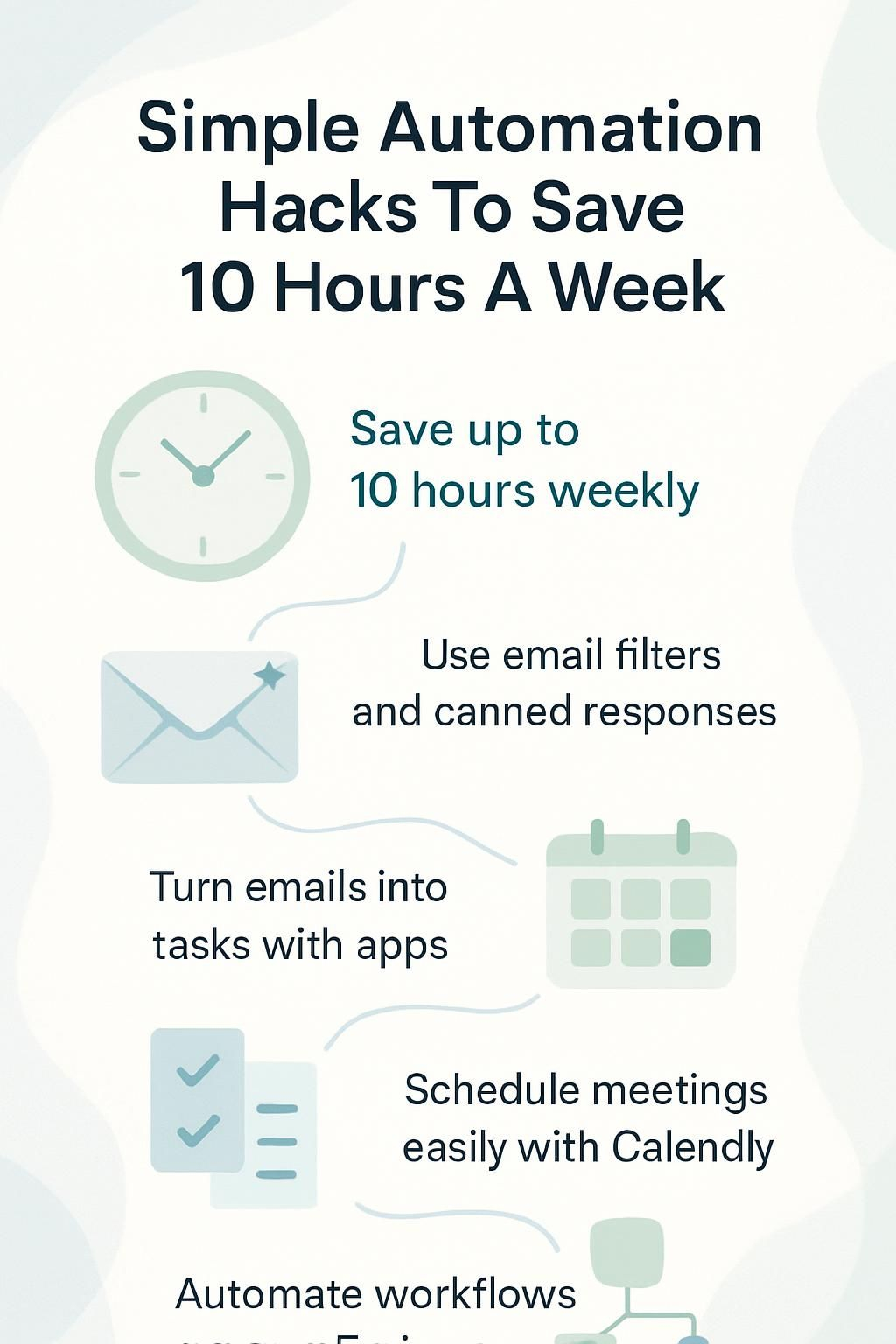
Automate Your Email Management

Email can eat up a lot of your day—simple automation tools like Gmail filters and Outlook rules sort messages fast, so you stay organized with less effort. Try using email productivity software such as SaneBox or Superhuman to handle the routine, while you focus on what matters most.
Create AI-Powered Email Filters
Emails can pile up quickly. AI-powered email filters save you time by sorting your inbox for you. Here’s how to set them up:
- Choose an email app that supports AI, like Gmail or Outlook. These apps have built-in AI that can learn from your habits.
- Set rules for common types of emails. For example, you can direct all newsletters to a “Read Later” folder.
- Teach the AI about important senders. Mark emails from your boss or key clients as priority. Over time, the AI will automatically know these are high-priority.
- Create filters for tasks and deadlines. Emails with dates or task-related words can go into a “To-Do” folder.
- Use keywords for better sorting. Add specific words related to projects or clients in the filter settings so those emails get sorted into the right folders.
- Check and adjust filters monthly. See what’s working or needs change, ensuring no important emails are missed.
This simple setup helps manage your inbox effectively, saving hours each week.
Use Canned Responses for Common Queries
Automating email tasks can help free up your time. After you set up AI-powered email filters, consider using canned responses for common questions. These pre-written replies save you from typing the same answers over and over.
Canned responses are perfect for quick replies. They can address frequent queries like pricing or service details. You can easily create these responses in most email platforms, such as Gmail or Outlook.
By doing this, you speed up your communication and clear out your inbox faster too. This approach boosts your productivity by letting you focus on more important tasks instead of repetitive emails.
Efficiency is doing things right; effectiveness is doing the right things.
Simplify Task Management
Task management can get messy. You can change emails into tasks with a few clicks. Use automation tools to make sure your tasks are in order. This way, you’ll focus on what matters most.
Convert Emails into Actionable Tasks
Emails can clutter your day. Turning them into tasks helps you stay organized. Here’s how:
- Use a task management tool like Todoist or Asana. Copy the email details into the app as a new task. This way, it’s easier to track what needs to be done.
- Set due dates for each task. This keeps deadlines clear and helps you prioritize your work.
- Add tags to tasks based on their type or project. This makes it simple to find related tasks later.
- Write down action steps within the task description. Clear steps guide you on what to do next.
- Forward important emails directly to your task manager if it allows that feature. You save time by not needing to retype details.
- Review your inbox daily for new emails that need action. Make a habit of converting these emails quickly.
- Use automation tools like Zapier if available, which connect your email and task managers; this can save effort and time.
- Check off completed tasks often; this gives a sense of achievement and boosts motivation.
- Share tasks with team members when needed, using collaboration features in platforms like Trello or Microsoft Teams.
- Regularly clean up your tasks list; remove anything that’s no longer relevant or urgent, keeping only what matters most.
These steps help turn email chaos into productive actions, saving you time each week!
Use Automation Tools for Task Prioritization
Task prioritization can be a game-changer for your productivity. Use automation tools to help you sort tasks based on deadlines and importance. Tools like Trello, Asana, or Todoist allow you to create lists easily.
You can set due dates and add labels to mark priority levels.
By automating this process, you save time and reduce stress. No more guessing what to do next! Your most important tasks will stand out clearly. This helps keep your workday focused and efficient, helping you achieve better results with less effort.
Streamline Scheduling and Calendar Management
Use smart tools to simplify your scheduling. Apps like Calendly can help you find the best meeting times, so you won’t waste time going back and forth.
Automate Calendar Event Creation
You can simplify scheduling with automated calendar event creation. It saves time and reduces errors.
- Connect your email to your calendar app. This makes it easy to create events from invites sent directly to your inbox.
- Use scheduling tools like Calendly or Doodle. These apps let others book time on your calendar without back-and-forth emails.
- Set reminders for upcoming events automatically. You won’t miss important meetings or deadlines this way.
- Sync multiple calendars together, such as work and personal. This helps you see all your commitments in one place.
- Create recurring events for regular meetings or tasks, such as weekly check-ins or monthly reviews. Save time by not entering the same details again.
- Share your calendar with teammates or clients easily. Allow them to see when you are free without needing a meeting request.
- Use voice commands with virtual assistants like Siri or Google Assistant to add events quickly while on-the-go.
- Leverage AI tools that suggest the best times for meetings based on your availability and preferences, ensuring smoother coordination.
Streamlining event creation lets you focus more on what matters most—your work-life balance and productivity!
Use Smart Scheduling Tools for Appointments
Scheduling appointments can be a hassle. Smart scheduling tools can help save time and effort.
- These tools allow automatic meeting invites. You set your availability, and others can book time with you directly.
- Look for features like calendar syncing. This keeps all your schedules aligned in one place, reducing conflicts.
- Some tools send reminders to both parties. This helps ensure no one forgets the appointment.
- Many scheduling apps offer a link to share with clients or colleagues. They pick a time that works for them without back-and-forth emails.
- Certain tools provide options for group meetings, too. You can find a time that suits everyone involved easily.
- Advanced features may include time zone adjustments; this is great for remote teams across different locations.
- A few smart tools even let you customize questions before appointments, gathering information ahead of time.
- Using these apps can improve work-life balance by freeing up more personal time after meetings.
Next up is automating calendar event creation to keep everything organized and efficient!
Automate Data Organization

You can make your data easy to find and use. Start by setting up a clear system for file storage. Use folders and labels that make sense to you. Create alerts when new documents arrive, so you won’t miss anything important…
These steps will save you time and keep everything organized!
Set Up File Storage and Organization Systems
Setting up file storage and organization systems can save you time. A good system helps you find what you need quickly.
- Choose a cloud service for storage, like Google Drive or Dropbox. These options keep your files safe and accessible from anywhere.
- Create clear folder structures based on projects or topics. It helps to have main folders with subfolders inside to keep things neat.
- Name files clearly and consistently. Use dates or keywords in the title so it’s easy to search later.
- Set rules for saving documents. Decide if you’ll save drafts, final versions, or both in your folders.
- Use tags or labels for important files. This makes it easier to find specific documents when needed.
- Schedule periodic clean-ups of your storage system. Regularly delete old files that are no longer useful.
- Sync important folders across devices to ensure they stay updated everywhere you work.
- Back up your data regularly to avoid losing important information due to accidents or errors.
These steps will help streamline your digital workspace and boost productivity!
Create Alerts for New Document Uploads
Keep track of new documents easily. Alerts can save you time and keep your files organized.
- Use cloud storage services like Google Drive or Dropbox. These platforms let you set alerts for document uploads.
- Set up notifications on your device. You will get a message when someone adds a file.
- Use apps like Slack or Microsoft Teams for alerts. They allow you to receive updates in real-time.
- Create an email alert system. Get notified directly to your inbox when a new document is uploaded.
- Organize documents by type or project. This way, alerts stay clear and focused on what matters most.
Tracking new document uploads helps maintain better organization and saves time every week, enhancing your workflow efficiency as we move to the next point about turning meeting notes into tasks.
Turn Meeting Notes into Action Items
Turn your meeting notes into tasks. Use tools like Notion or Trello to turn key points into action items right away. You can also use AI programs to summarize meetings and highlight the most important tasks.
This way, you won’t miss anything crucial!
Automate Note-to-Task Conversion
Automating note-to-task conversion can save you valuable time. This process turns your meeting notes into tasks quickly.
- Use apps like Todoist or Trello to turn notes directly into tasks. You can type or dictate your notes and create tasks in seconds.
- Set up voice commands with tools like Google Assistant or Siri. A simple command can convert your spoken ideas into tasks on your favorite app.
- Take advantage of AI tools that automatically recognize key points in your notes. These systems can identify action items and suggest task creation.
- Integrate meeting software with task management tools. Tools like Zoom work with apps like Asana, making it easy to turn meetings into actionable steps.
- Create templates for common meeting types in your task app. With the right structure, you can streamline how notes are turned into tasks without effort.
- Use automation services like Zapier to connect your note-taking app to a task manager. Setting simple triggers means tasks are created for you instantly.
- Set reminders for important tasks generated from notes. It keeps actions front-of-mind so nothing important slips through the cracks.
Using these methods makes sure that all those great ideas don’t get lost after meetings and helps boost productivity each week!
Use AI for Meeting Summaries
After automating note-to-task conversion, you can make meetings even more useful. Use AI to create meeting summaries. This tool saves time by turning long discussions into quick notes.
AI programs listen and write down important details for you. They highlight key points and action items in a clear way. You won’t have to sift through pages of notes later on. Instead, just grab the summary and go! With this simple automation hack, your workflow becomes smoother.
Your productivity improves too as you focus on actual tasks instead of writing notes after every meeting.
Improve Workflow Efficiency

To boost your workflow, use simpler tools to automate regular tasks. With software like Zapier and other automation apps, you can save time and focus on what really matters.
Automate Routine Processes with Workflow Tools
Automating routine processes can save you a lot of time. Workflow tools make this easy and efficient. Here are some ways to use them:
- Use tools like Zapier or Integromat. They connect your apps and automate tasks between them. You can set rules, so actions happen automatically.
- Create workflows for common tasks. For example, send an email every time you get a file upload. This keeps your communication clear and quick.
- Set up reminders for regular tasks. Automation can alert you when it’s time to follow up on projects or emails. You won’t miss deadlines anymore.
- Schedule social media posts in advance with tools like Buffer or Hootsuite. This keeps your accounts active without daily effort.
- Track your projects using tools like Trello or Asana. Automate status updates to keep everyone informed on progress without extra work.
- Generate reports automatically from the data you collect. Tools can pull in numbers, saving time each week on analysis.
- Use chatbots for customer service interactions. These bots handle simple questions right away, freeing up your time to focus on complex issues.
Using these workflow tools helps simplify processes and boost productivity. You’ll find more balance in your work life too!
Use Zapier for Multi-Step Integrations
Zapier helps you connect different apps. This tool can save you time by automating tasks across platforms.
- Create Zaps to link apps. Set up a trigger in one app that starts actions in others.
- Use multi-step Zaps for complex workflows. You can create a series of actions that flow from one to the next, without your intervention.
- Customize each Zap easily. Choose specific conditions that must be met for actions to happen.
- Link popular tools like Google Sheets or Slack seamlessly. This way, data moves automatically between them without manual effort.
- Save time on repetitive tasks daily. Instead of entering the same information multiple times, let Zapier do it for you.
- Monitor your Zaps for performance updates. You can see how well they are working and make changes if needed.
- Explore templates created by other users for inspiration. These can give you ideas on how to set up your own Zaps efficiently.
Using Zapier simplifies your workflow and boosts productivity effectively, allowing you more time to focus on what matters most in your workday! Moving ahead, let’s explore how to turn meeting notes into action items efficiently!
Track Progress and Generate Reports
You can easily keep track of your progress. Use tools like Google Sheets or Airtable to collect data for your performance updates. These tools let you create simple charts and summaries quickly.
This way, weekly reports are ready without extra effort. You’ll save time and stay on top of your tasks!
Automate Data Collection for Performance Tracking
Data collection can take a lot of time. Automating this process helps you track your performance efficiently.
- Choose the right tools. Tools like Google Analytics, or Microsoft Power BI can collect data automatically. They help you see your progress quickly.
- Set up automatic reports. Schedule reports to be sent to your email weekly or daily. This keeps important data at your fingertips without extra work.
- Use forms for easy input. Google Forms or Typeform allows team members to enter data directly. This makes it simple and less prone to errors.
- Collect feedback automatically. Survey tools can gather customer opinions without you needing to ask each person individually.
- Link apps for real-time updates. Tools like Zapier connect different apps for seamless data flow; this ensures you have the most current information.
- Track sales and leads with CRM software. Software like HubSpot organizes your contacts and automates follow-ups, saving time on manual entries.
- Visualize data with dashboards. Create visual dashboards in tools such as Tableau or Google Data Studio, allowing quick insights into performance trends.
- Integrate spreadsheets for live updates. Using Google Sheets enables multiple users to update data instantly; this makes tracking changes easier.
Adopting these steps will save hours every week, freeing you up for more important tasks while improving productivity and efficiency in your workflow!
Generate Weekly Reports Automatically
Automating data collection helps you track performance better. Generating weekly reports can save you time and effort. Here are some effective ways to do it.
- Use tools like Google Analytics or HubSpot. These tools collect data from your activities. They help you see how well you are doing each week.
- Set up automatic report generation in your software of choice. Many apps allow you to create reports based on your collected data. You can schedule them to run at a specific time.
- Customize your reports to include key metrics that matter. Focus on what shows your progress, like sales numbers or website visits. Tailoring these details keeps the reports useful.
- Share reports directly with your team through email or cloud storage. Automatic sharing saves steps and ensures everyone gets the same information at the same time.
- Use AI tools for insights and trends in your data. Some software provides smart suggestions based on past performance, saving you analysis time.
- Apply templates for consistency across all reports. Using the same format each week makes reviewing easier and less confusing.
- Track task progress automatically within your project management tool. Tools like Trello or Asana allow you to check on tasks related to weekly goals quickly.
Automatic report generation streamlines workflow efficiency, helping free up hours in your week for more important tasks!
Conclusion
You can save time with simple automation hacks. These small changes help you work smarter, not harder. Automating tasks like email management and scheduling helps you gain back precious hours each week.
Embrace these tools to boost your productivity and find better work-life balance. Start using these tips today, and enjoy the extra time for what matters most to you!